IPTV offers

Choose with the key differences visible

Start with one-screen plans, switch to premium when catalog depth matters, or continue to the household section for simultaneous screens.

One-screen startClear entry plans for individual viewing.
Premium comparisonCompare stronger catalog and feature options.
Need more screens?Continue to household plans.
Switch packs to compare

Two offer profiles

Normal or Premium — which profile fits you?

Both profiles are the same service with the same apps and activation — the difference is the size of the catalogue. Durations (1, 6, or 12 months) only change the price, never the content.

Normal IPTV

For one viewer or household screen that wants the full core catalogue at the lowest price.

Live channels
31,932
Movies on demand
149,487
Series
26,279
  • Complete live TV, movie, and series catalogue
  • HD and 4K streams on 1 screen
  • 1, 6, and 12-month durations
See Normal IPTV

Premium IPTV

For viewers who want the extended catalogue — the largest channel, movie, and series line-up we offer.

Live channels
54,026
Movies on demand
169,000
Series
44,000
  • Extended live TV, movie, and series catalogue
  • HD and 4K streams on 1 screen
  • 1, 6, and 12-month durations; multi-screen plans use this catalogue
See Premium IPTV

Multi-screen plans

Our Multi-Screen IPTV Plans for Canadian Households

Discover our multi-screen plans with IPTV X Hub — watch your favourite Canadian and international channels on multiple devices effortlessly.

Best for

Households and shared viewing

Benefits

Multiple active screens

Decision aid

Compare by screen count

Guided activation

How does our IPTV subscription work with IPTV X Hub in Canada?

Discover fast activation and immediate access to your favourite Canadian channels and VOD, directly on your compatible devices.

Choose the offer that matches your use
Receive activation and login details
Configure the app and start watching
Ask support about activation
01

Step 1

Order

Order your IPTV X Hub subscription and receive your IPTV credentials by WhatsApp or email within minutes — fast delivery anywhere in Canada.

02

Step 2

INSTALL

Download the IPTV app of your choice (IBO Player, Bob Player, TiviMate…). Once installed, we activate your IPTV X Hub access and send you your IPTV credentials.

03

Step 3

WATCH

Log in and access thousands of Canadian TV channels (CBC, CTV, TSN, Sportsnet), movies, and series with unlimited VOD. On your TV, smartphone, or tablet — enjoy the ultimate streaming experience in Canada.

Apps and devices

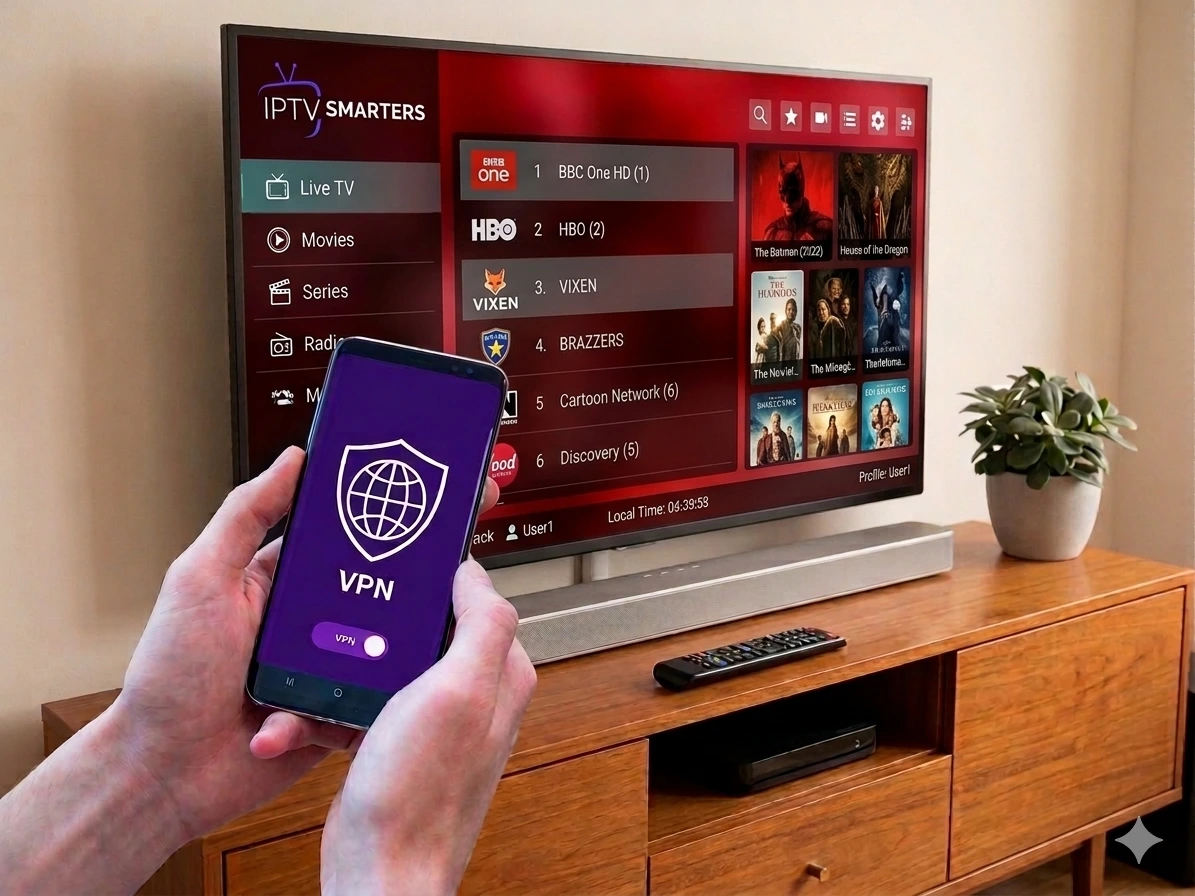
Compatible adult IPTV applications

Enjoy your IPTV X Hub subscription on the best adult IPTV apps, on connected TV, Android, iOS, boxes and computers.

Open device setup guides
01

Android TV

TV apps and Android boxes

02

Apple TV

Apple screens and mobile devices

03

Fire Stick

Compact living-room setup

04

Mobile

Phones and tablets on the move

Compatible player ecosystem

Choose the player you know
IPTV Smarters Pro Smarters Player Lite TiviMate XCIPTV Player IBO Player Pro Hot IPTV SmartOne IPTV Flix IPTV Net IPTV GSE Smart IPTV VLC Media Player Kodi IPTV IPTV Smarters Pro Smarters Player Lite TiviMate XCIPTV Player IBO Player Pro Hot IPTV SmartOne IPTV Flix IPTV Net IPTV GSE Smart IPTV VLC Media Player Kodi IPTV

Why choose this service

Why Canadians choose IPTV X Hub

Enjoy a unique streaming experience with IPTV X Hub. Access thousands of channels including CBC, CTV, TSN, Sportsnet, RDS, and TVA, plus movies and series on demand. HD/4K quality on all your devices — the #1 IPTV service in Canada.

  • No complex installation. Activation is done quickly after confirmation — available for Canadian customers 24/7.
  • A single subscription covers Canadian channels (CBC, CTV, TSN, Sportsnet, TVA, RDS) and thousands of international networks.
  • Channels and VOD are frequently updated to maintain a dynamic offering with the latest Canadian and international content.
  • Modern interface with fast channel switching and clear category organization, including dedicated Canadian sections.
  • Stream quality automatically adjusts to your internet speed to guarantee stability and continuity across Canada.
Why Canadians choose IPTV X Hub
A service built around clarity

Streaming technology

Why choose OTT Premium IPTV in Canada?

OTT Premium IPTV delivers the full IPTV X Hub catalogue over your existing internet connection: live channels in HD, Full HD and 4K, movies and TV series on demand, major sports coverage and the optional adult bouquet. The Premium profile adds anti-freeze servers, faster channel zapping and priority support, and it works with IPTV Smarters, TiviMate and XCIPTV on Smart TV, Android TV, Fire TV Stick, Apple TV, MAG boxes, Windows, macOS, iOS and Android.

View pricing
Why choose OTT Premium IPTV in Canada?
Designed for modern streaming

Streaming quality

HD, Full HD and 4K — what to expect from your connection

IPTV X Hub streams over standard internet using H.264 and HEVC with adaptive bitrate: the player picks the best quality your connection sustains, from SD up to 4K UHD. Here is the bandwidth we recommend per quality tier on any Canadian ISP.

QualityRecommended bandwidthBest for
SD (480p)≈ 4 MbpsSecondary screens, mobile data, older boxes
HD (720p)≈ 8 MbpsEveryday viewing on tablets and smaller TVs
Full HD (1080p)≈ 16 MbpsSports, movies and series on the living-room TV
4K UHD≈ 25 MbpsPremium profile on 4K Smart TVs and Apple TV 4K

What is EPG?

The Electronic Program Guide shows what is airing now and next on every live channel, like a cable TV grid. IPTV X Hub ships a full EPG that works in IPTV Smarters, TiviMate and XCIPTV.

What is catch-up TV?

Catch-up lets you replay programs aired over the past days directly from the channel list — no recording needed. Availability depends on the channel.

What is multi-screen?

One subscription, several simultaneous streams. Multi-screen plans let a household watch different channels on the TV, a phone and a laptop at the same time.

What is anti-freeze?

Load-balanced servers and adaptive bitrate keep the stream stable during peak hours (hockey nights, live events), stepping quality up or down instead of buffering.

Setting up is quick on every platform: follow our Fire TV Stick guide or the Android TV walkthrough, browse all compatible IPTV apps, check the Canadian channel list, or compare plans on the pricing page.

Services

Works on the devices you already own

Can't find your device? IPTV X Hub is compatible with a wide range of IPTV devices used across Canada.

01

Box Android TV

IPTV Premium subscription for all Android devices

02

Amazon Fire Stick & Fire TV

IPTV Premium subscription from 1 to 12 months

03

Apple TV

Fast and stable IPTV Premium subscription

04

iPhone & iPad

IPTV Premium subscription from 1 to 24 months

Customer reviews

What subscribers say about the service

Short, direct feedback helps visitors compare setup, activation, and support expectations before ordering.

5.0 stars from 5

Excellent service! The 4K channels are impressively clear and I haven't noticed any bugs or cutouts during live football matches. I highly recommend IPTV X HUB.

Thomas Morel

Toronto, Ontario
5.0 stars from 5

Installing on my Amazon Fire Stick was super easy thanks to the guide provided by support. The VOD library is huge with all the latest movies. Very satisfied!

Sarah El Mansouri

Vancouver, BC
4.0 stars from 5

Very good overall stability. The stream switches fairly quickly between channels. Minor issue with support response time on a Saturday evening, but the problem was resolved.

Julien Dubois

Montreal, QC
5.0 stars from 5

Honestly the best IPTV subscription I've tried. Zero buffering, even during peak hours. The series catalog is updated very regularly.

Nicolas Roux

Calgary, AB
5.0 stars from 5

Incredible picture quality on sports channels. The app is smooth and the EPG (program guide) works perfectly. Nothing to complain about.

Amandine Petit

Ottawa, ON
4.0 stars from 5

The service is excellent, HD and 4K quality is definitely there. I had a small setup issue at first on my Android box, but customer service via WhatsApp helped me out.

Lucas Bernard

Edmonton, AB
5.0 stars from 5

Unbeatable value for money. I have access to all my favorite channels and an impressive film selection for a fraction of the cost of traditional cable.

Chantal Girard

Winnipeg, MB
5.0 stars from 5

Perfect for watching Formula 1 and the UEFA Champions League without interruptions. The stream is ultra stable, I've never had a major freeze in 3 months.

Mathieu Vincent

Quebec City, QC
5.0 stars from 5

Superb catalog of series and movies dubbed and subtitled. My kids love the cartoons section. The interface is very clean.

Élodie Mercier

Halifax, NS
4.0 stars from 5

Good picture quality and wide selection. Connection is fast. I would have liked an additional payment option, but otherwise everything is perfect.

Karim Haddad

Hamilton, ON
5.0 stars from 5

Works perfectly on my Apple TV. Activation took less than 15 minutes after payment. I recommend IPTV X HUB without hesitation.

Olivier Fontana

Victoria, BC
5.0 stars from 5

I got the 24-hour trial and immediately bought the annual subscription. The channel quality is flawless and no delay on live.

Sophie Laurent

Saskatoon, SK
4.0 stars from 5

Very satisfied overall. Channels load quickly. A few rare micro-interruptions during a heavy storm at home but otherwise the stability is there.

David Gautier

Regina, SK
5.0 stars from 5

A big thank you to the technical team for their responsiveness. Setup done on my Samsung TV in a few clicks. The 4K movies are great.

Yassine B.

Kelowna, BC
5.0 stars from 5

Finally a serious IPTV provider! No false promises, the stream is stable, the VOD catalog is updated regularly. Flawless.

Pierre-Yves L.

London, ON
5.0 stars from 5

Perfect for movie lovers. You can find absolutely everything, from classics to the latest Netflix/Canal releases. The picture never skips.

Camille Sanchez

Windsor, ON
4.0 stars from 5

Easy-to-use app on smartphone and tablet. Very convenient for watching TV during business travel.

Alexandre Simon

Brampton, ON
5.0 stars from 5

Subscribed for over a year now, renewal was very straightforward. Quality is still consistent, great work from the IPTV-X team.

Maxime Fournier

Mississauga, ON
5.0 stars from 5

The Full HD stream is perfect for my home projector. No pixelation, audio is well synced. Excellent value for money.

Romain Dumont

Surrey, BC
4.0 stars from 5

The service works very well on my Fire Stick. Channel sorting by country is well thought out. Polite and efficient customer support.

Inès Martinez

Laval, QC
5.0 stars from 5

Incredible choice of international channels on top of domestic ones. Very stable on the IPTV Smarters app. 100% approved.

Tariq A.

Gatineau, QC
5.0 stars from 5

Nothing to criticize, everything matches the website description. Activation is quick and the video stream smoothness is impressive.

Stéphane Legrand

Longueuil, QC
4.0 stars from 5

Overall very satisfied, 4K quality requires a good fiber connection but the result on my OLED TV is stunning. Responsive customer service.

Guillaume P.

Burnaby, BC
5.0 stars from 5

My favorite programs everywhere with me. The IPTV X HUB subscription is stable, without interruptions and very complete in terms of TV packages.

Valérie Renard

Richmond Hill, ON
5.0 stars from 5

Top-notch technical support! They guided me step by step to set up my LG Smart TV. Since then, everything works perfectly. Thank you!

Antoine Michel

Markham, ON
4.0 stars from 5

Great alternative to overpriced satellite subscriptions. I have all the sports and movie channels for a great price. I recommend.

Florian Lambert

Vaughan, ON
5.0 stars from 5

The VOD is updated almost every day with the latest series episodes. Live streams never cut out. It's perfect.

Mélanie Tessier

Kitchener, ON

FAQ

IPTV X Hub FAQ

Answers about the Normal and Premium profiles, activation, devices, screens, and policies.

Both profiles are the same service with the same apps, quality, and activation. The difference is catalogue size: Premium unlocks the largest line-up of live channels, movies, and series we offer. Durations of 1, 6, or 12 months only change the price, never the content.

You receive your login details by email after your order is confirmed — most accounts are active the same day. Enter the credentials in your IPTV app and start watching; no technician or hardware installation is involved.

IPTV X Hub works on Smart TVs (Samsung, LG, Android TV), Amazon Fire Stick, Apple TV, Android and iOS phones and tablets, computers, and dedicated IPTV boxes, through common apps such as <a href="https://www.iptvxhub.com/tag/iptv-smarters-pro/" class="mca-autolink" data-mca="1">IPTV Smarters Pro or TiviMate. Our installation guides cover each device step by step.

Standard Normal and Premium plans stream on one device at a time, and you can install the app on as many devices as you like. If your household watches on several screens simultaneously, choose a multi-screen plan with 2 to 5 parallel streams.

Contact support first — most activation issues are solved quickly, 7 days a week. If the service still cannot run on your setup, the refund policy applies as published on our refund policy page.

To see all frequently asked questions, click the button below.

Guides & news

Latest IPTV guides and articles

View all articles

Explore the editorial hub

Open a guide when the topic matches your question

Start with the title, then reveal a focused preview with the guide thumbnail, reading time, and the practical answer it helps you find.

Best IPTV 2026 : Top IPTV Providers Compared
News
August 9, 2026 19 min read

Choosing the best IPTV in 2026 has become more complex than it may seem. With differences in stability,...

Read the complete guide Open only the topics that matter to you.
Install IPTV Smarters Pro on Smart TV – Complete Guide 2026
Guide
July 19, 2026 8 min read

How to install and configure IPTV Smarters Pro on LG webOS Smart TVs: app store steps, playlist setup,...

Read the complete guide Open only the topics that matter to you.
Install IPTV on Apple TV: Complete Guide 2026
Guide
April 9, 2026 8 min read

How to install and configure an IPTV subscription on Apple TV 4K with GSE Smart IPTV — Dolby...

Read the complete guide Open only the topics that matter to you.
Best Adult IPTV Box in 2026: Top 5 Devices Compared
Comparison
March 28, 2026 7 min read

The five best set-top boxes for adult IPTV in 2026 compared: Nvidia Shield, Formuler Z12, Fire Stick 4K...

Read the complete guide Open only the topics that matter to you.
4K HDR IPTV: TV and Player Settings for Optimal Picture Quality
Guide
March 22, 2026 8 min read

TV settings (Samsung, LG, Sony) and player configuration to stream IPTV in real 4K HDR without washed-out colors...

Read the complete guide Open only the topics that matter to you.

Looking for another topic?

Browse the complete editorial library for every guide and update.

Explore all articles

Ready when you are

Start watching with IPTV X Hub today

Pick the Normal or Premium profile, choose a duration, and receive your login by email — most accounts are active the same day.